

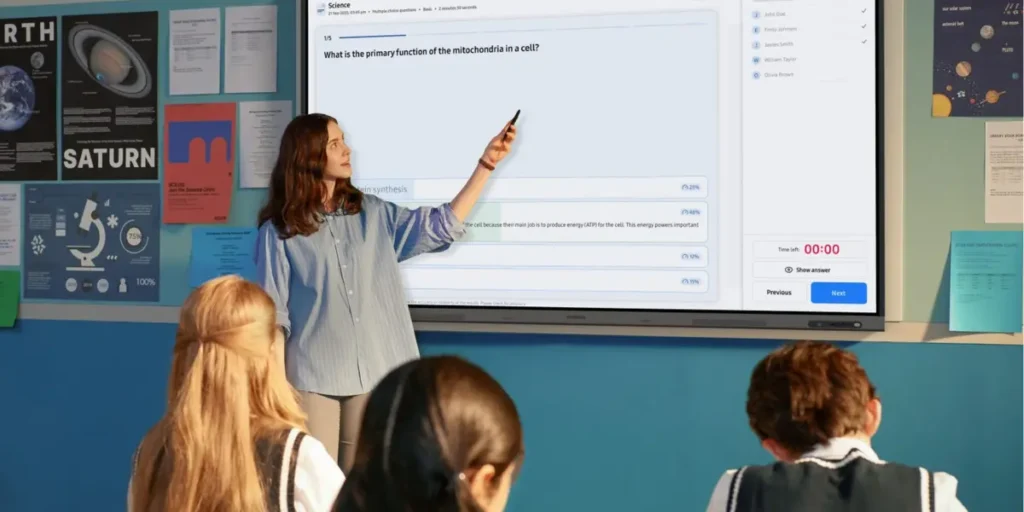
Samsung has introduced new education software for its Android-based Interactive Display lineup, adding tools designed to help teachers personalize shared classroom displays and simplify device management for school IT teams. Announced at ISTELive 26, the updates include Samsung Account Management Solution (AMS), Samsung AI Assistant and new Education Portal features.
Samsung AMS allows teachers to sign in to compatible interactive displays using a QR code or NFC-enabled ID card, giving them access to personalized settings, files, app shortcuts and other preferences across multiple classrooms. The system also includes a screen lock feature and works with the Samsung Education Portal, where IT administrators can register users, enroll devices, manage account access and organize displays by school, building or classroom.
Samsung AI Assistant adds AI-powered classroom tools to compatible interactive displays. Features include Circle to Search for finding related content without leaving the display, Live Transcript for converting spoken instruction into on-screen text, AI Summary for lesson recaps and AI Quiz for generating assessment questions from recorded lesson content. Samsung said the tools are designed to support classroom engagement and accessibility.
The company also announced updates to its Android-based Interactive Display portfolio. Three new models, the WAF-S, WAFX-PS and WAHX-M, will join the existing lineup. The WAF-S and WAFX-PS upgrade to Android 16, while the WAHX-M adds a 98-inch display option for larger learning spaces and includes on-device AI features such as voice command, AI calculator and text-to-speech. Samsung also introduced Samsung Fast Swap, a replacement program for eligible education partners designed to minimize downtime for classroom displays.
